New on QOLLaunch edition · October 2026
Convert images without uploading them.
Free converters for icons, vectors, transparent PNGs and more. Each one runs in your browser, so your files stay with you.
What it is
Converters that stay in your tab
PixlPlus is a set of free file converters for images. It makes icons, vector traces, transparent PNGs, WebP, AVIF, PDF pages, stickers and meme captions. Each converter runs in your browser tab.
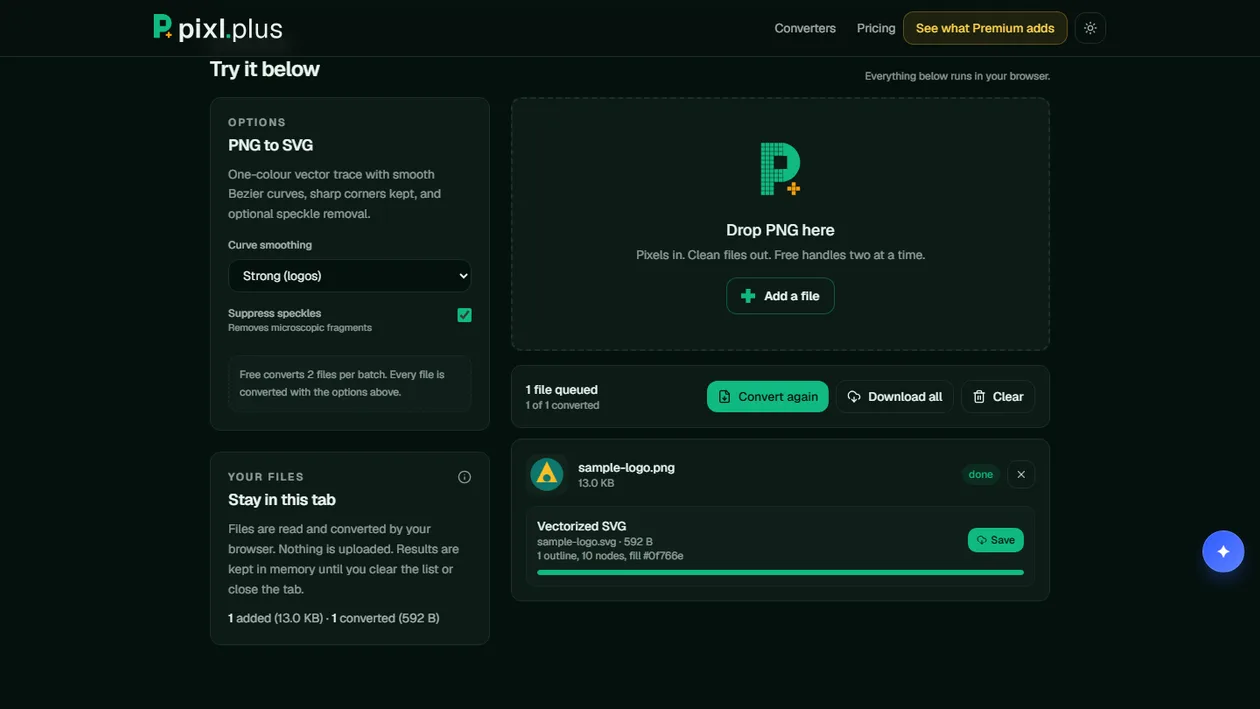
Your files are read and converted by the browser. Nothing is uploaded, and results stay in memory until you clear the list or close the tab. That is how the whole thing is built.
Who it is for
Anyone with an image and a target format
If you have a PNG and need an icon, a logo and need a vector, or a photo and need a smaller file, this is the page for the job. It suits people who want a clean result without setting up an account.
No account is needed to convert. The free plan converts two files at a time, which covers most one-off jobs. Pick a format, drop a file, and take the result.
Drop a file. Get a clean one back.PixlPlus
In practice
Pick a format. Drop a file.
Start with the converter you need. PNG to ICO builds a real multi-size icon with 16, 32, 64, 128 and 256 pixel sizes, each resampled on its own grid. PNG to SVG makes a one-colour vector trace with smooth curves and sharp corners kept.
Transparent PNG removes a plain, flat background and cleans the soft edges. Logo Rebuilder makes stacked vector shapes, one per colour. WebP and AVIF come with quality control, and you can also put an image on a PDF page, outline a sticker or caption a meme.
At launch price
Free to start, Premium when you need more
The free plan converts two files at a time and needs no account. Premium is open. It adds the Upscaler and removes the two-file limit. Studio and Ultra are coming.
Premium is $7 a month billed quarterly ($21), a launch price. Monthly is $9 and yearly is $72. Studio and Ultra are coming soon. Full details are on the pricing page at pixl.plus/pricing.
Your files stay in the tab.PixlPlus
 QOL